- Closed outlines (polylines, circles, splines); units mm / in / ft are read from the file.
- «Lay out in case» packs the parts tightly around case obstacles.
- Cavity depth comes from the item height you enter — matched to foam sheet thicknesses.
- Free, no registration; send the layout for a quote with one button.
Use this when you already have item outlines: from CAD, from the manufacturer, from a laser or router job. Outlines must be closed; units — mm or inches.
⬇ Sample DXF (4 tools) — download it and repeat the steps.
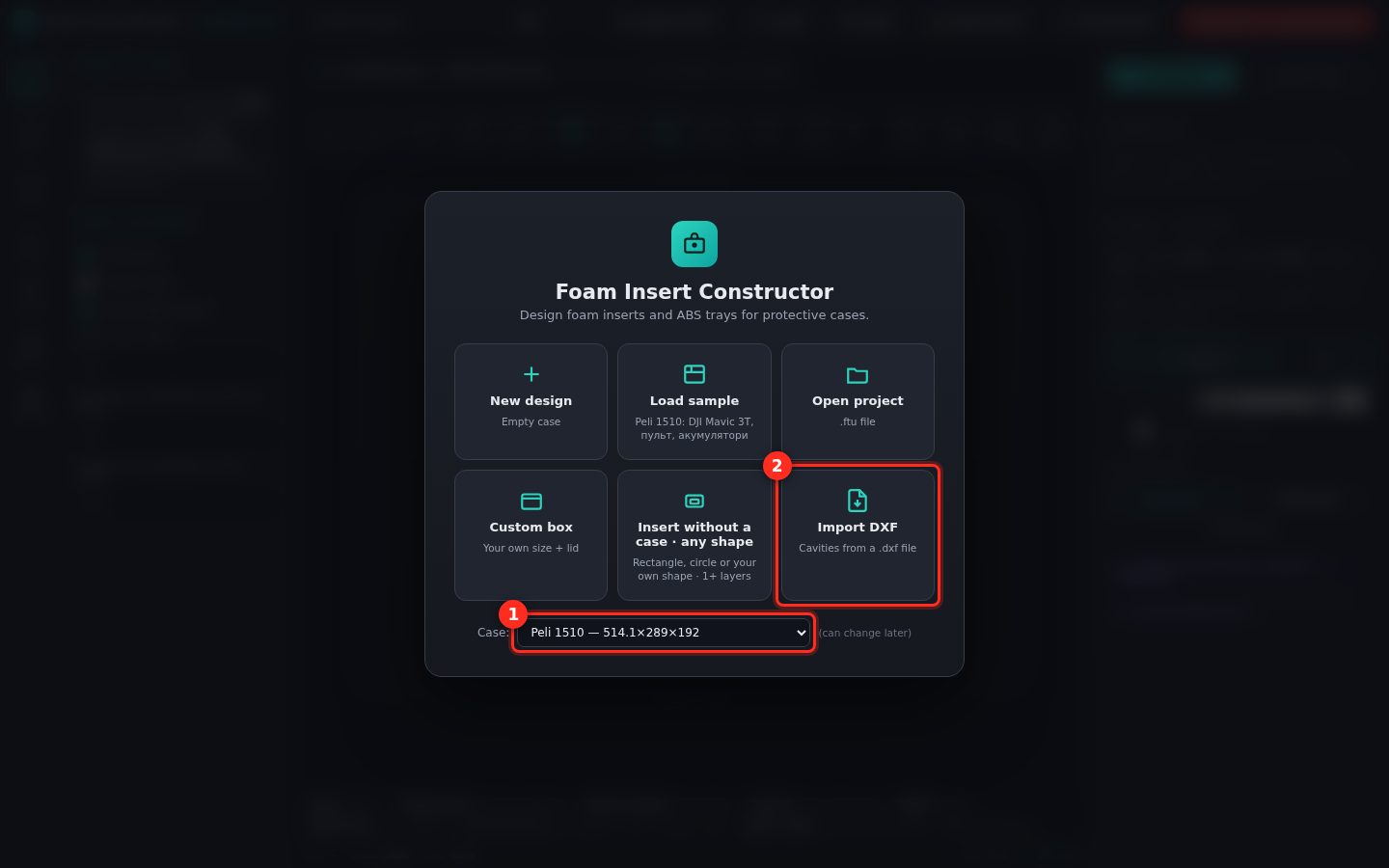
1Pick the case and click «Import DXF»
At the bottom of the start screen there is the case list (1): find your model, or choose «Custom box» and enter the inside dimensions. Then the «Import DXF» tile (2) and your file.
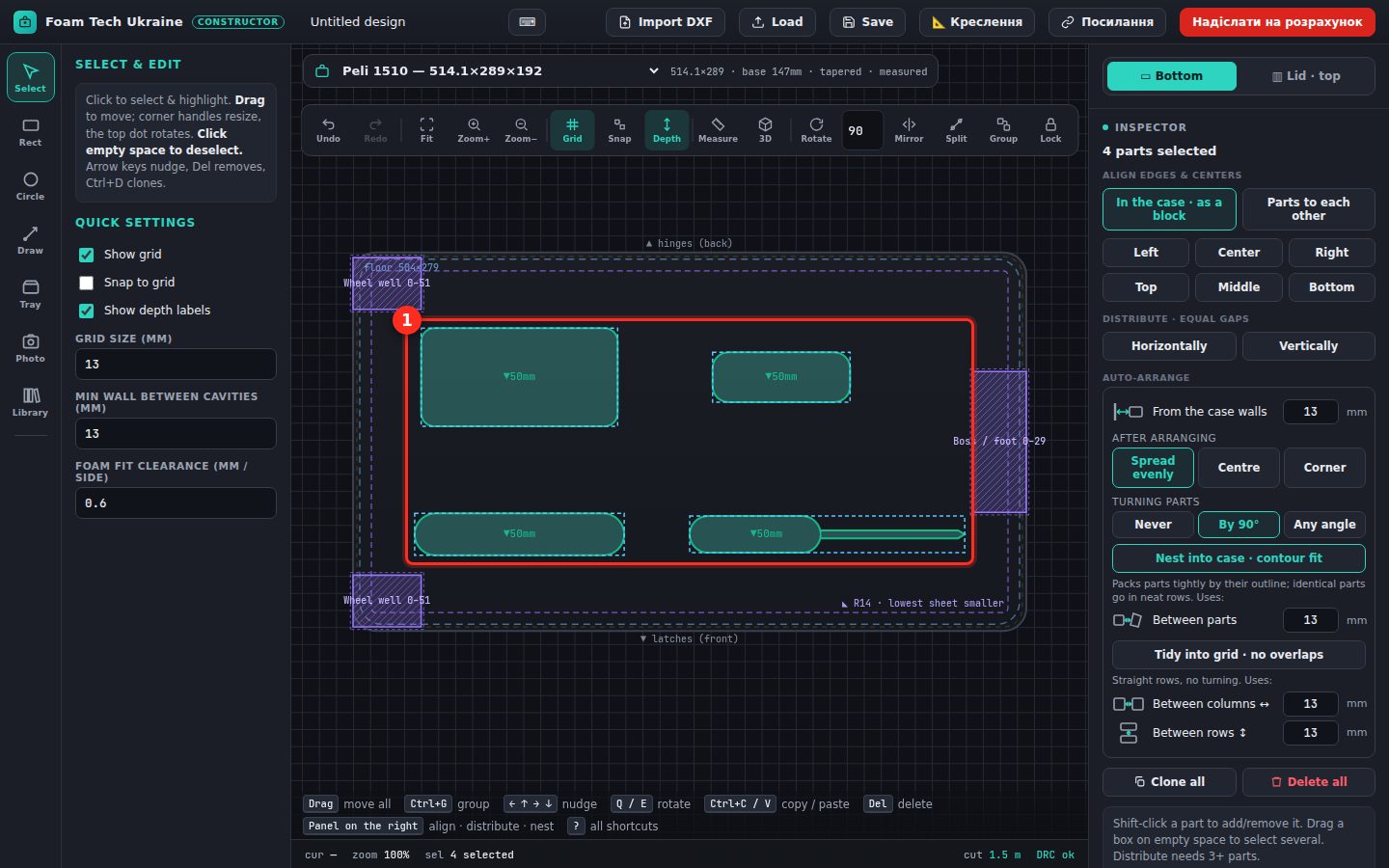
2The outlines are already in the case
Every closed outline becomes a cavity (1) in the middle of the case, already selected. Purple hatched zones are the case’s own obstacles (wheel wells, bosses) — no cavities there.
⚠ Nothing after import? The file has no closed outlines — join the lines into a polyline in CAD (Join / PEDIT) or export as DXF R12/2000.
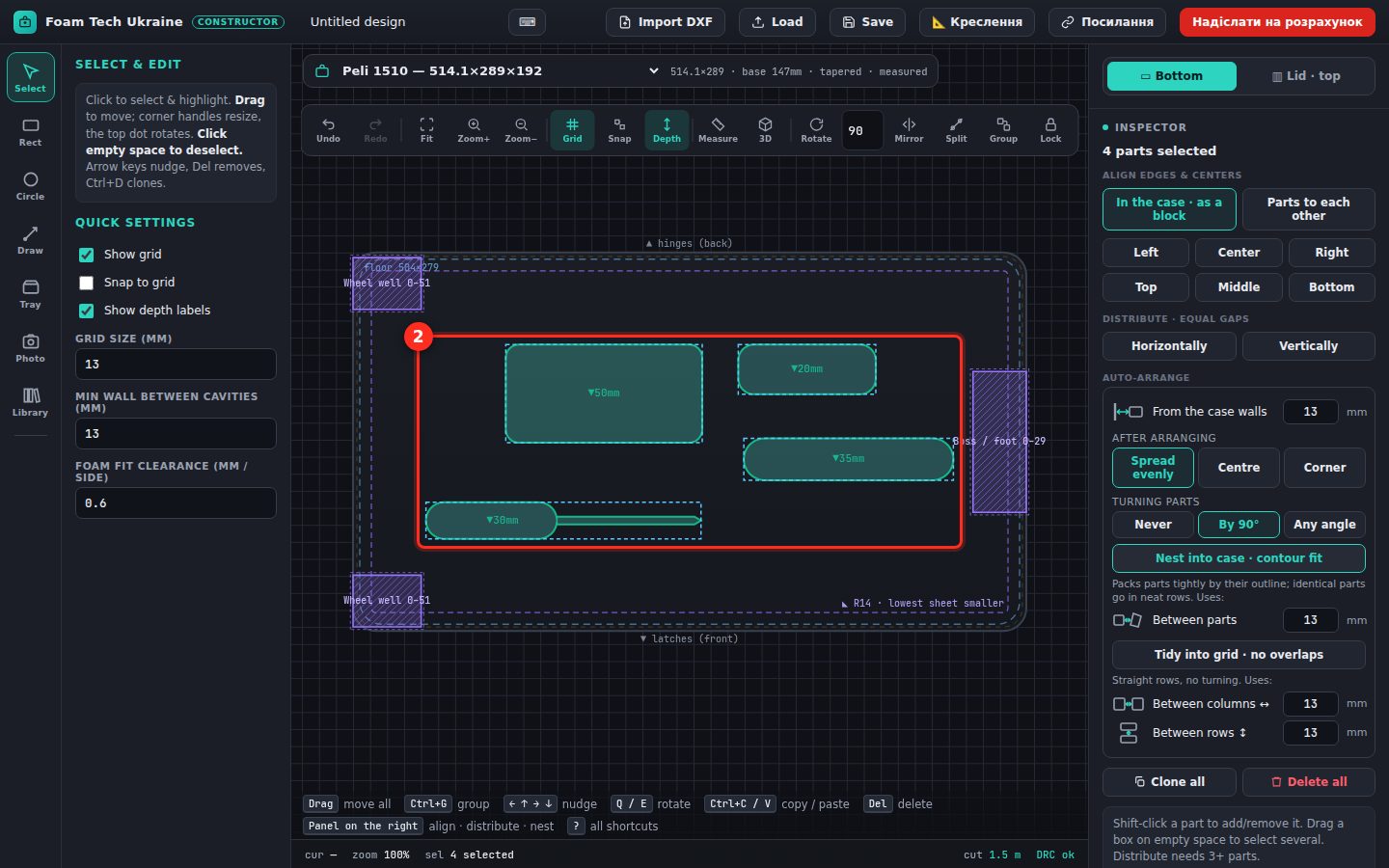
3Auto-layout
On the right, «Lay out in case · by outline» (1) packs the parts tightly (2), avoiding obstacles and keeping the gap to the walls and between cavities. Drag any part with the mouse or rotate it with Q / E.
4Depth of each cavity
Click a part (1). In the Inspector the easiest is item height (2): the depth (3) is chosen automatically to match foam sheet thicknesses. Name, size and rotation are here too.
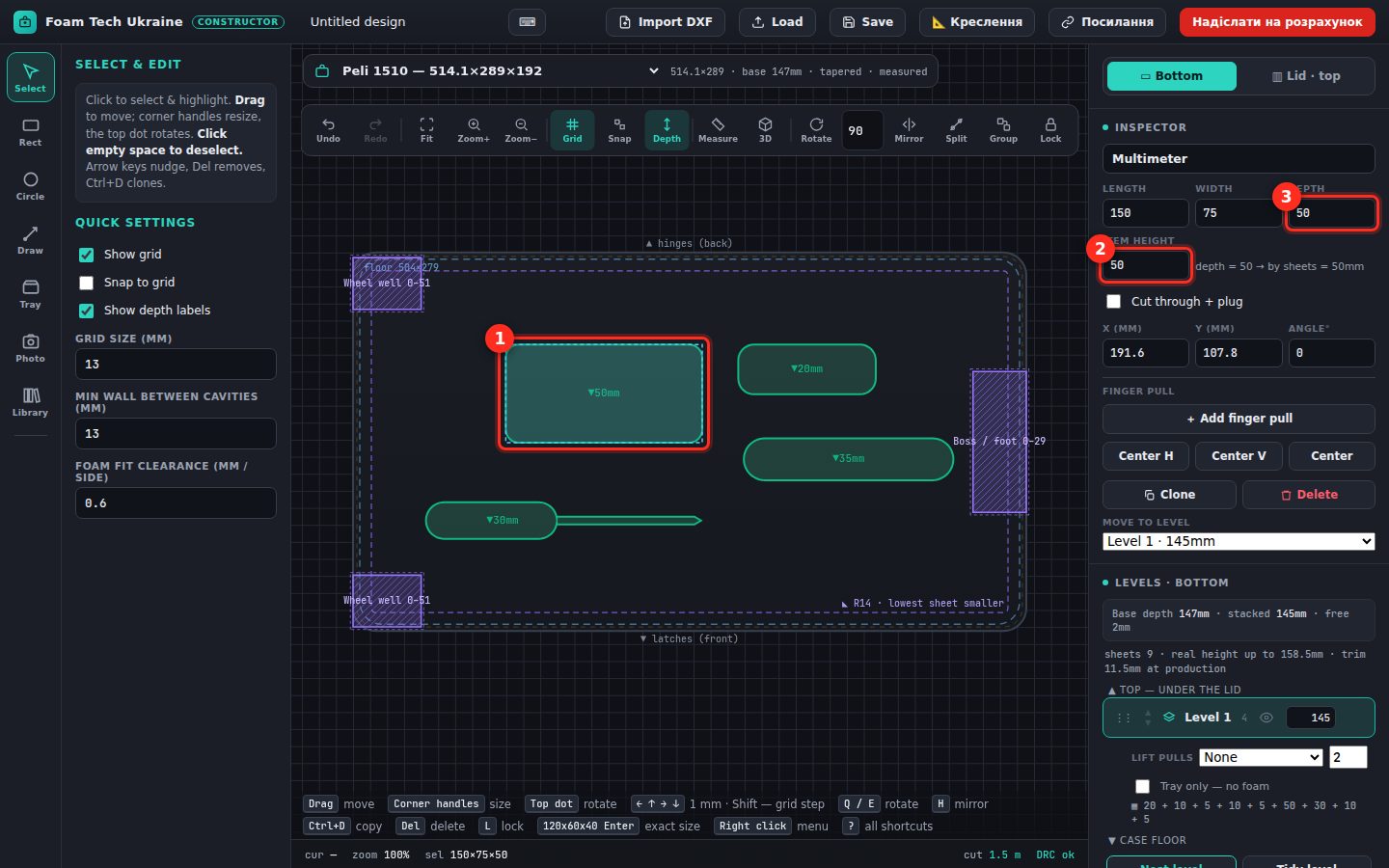
💡 Let the item stick out of the foam by 5–15 mm so it is easy to grab — or add a finger pull.
5Finger pull
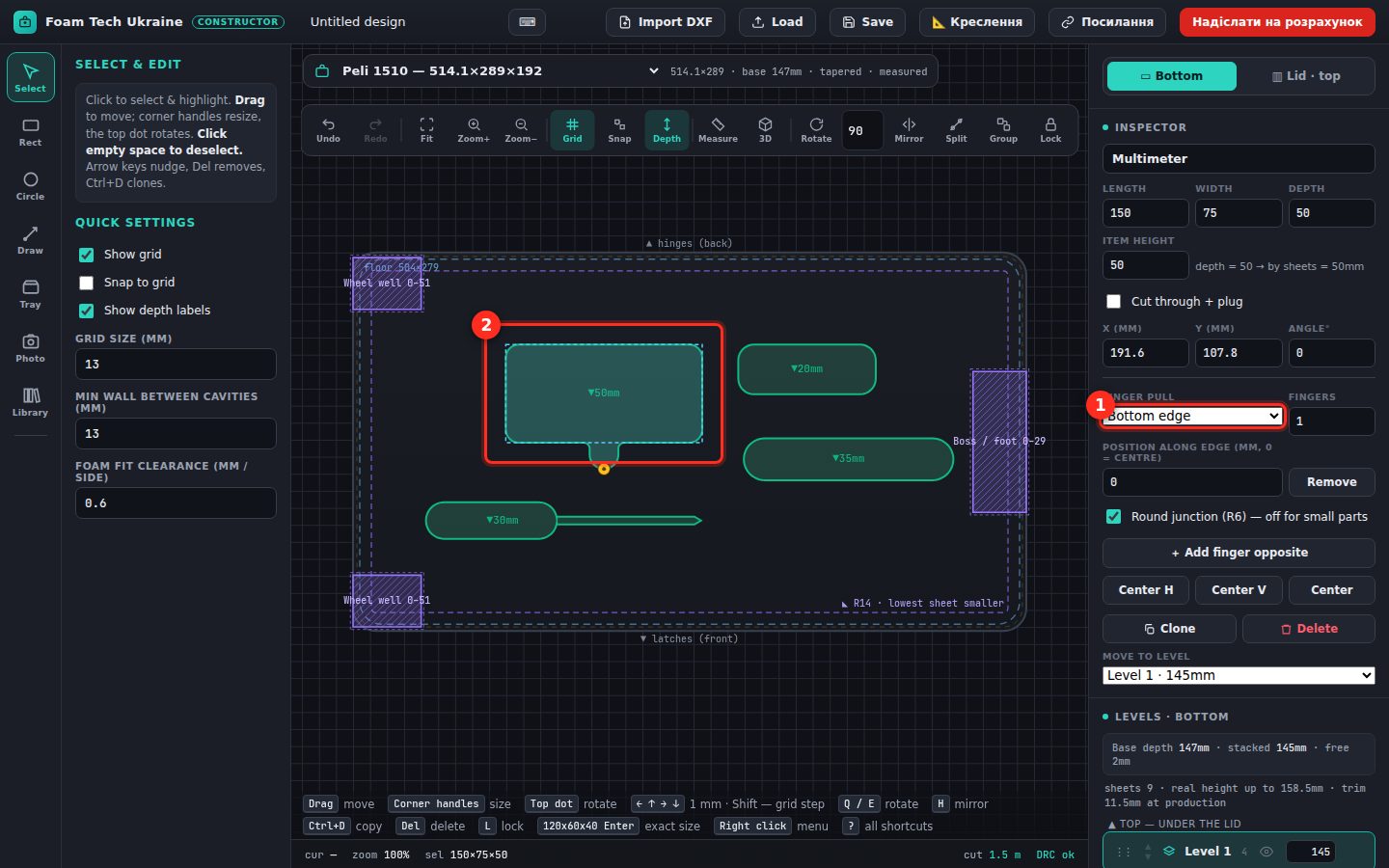
«+ Add finger pull» in the Inspector — a recess appears next to the cavity (2). In the list (1) choose the edge, the number of fingers and the offset.
6Check in 3D
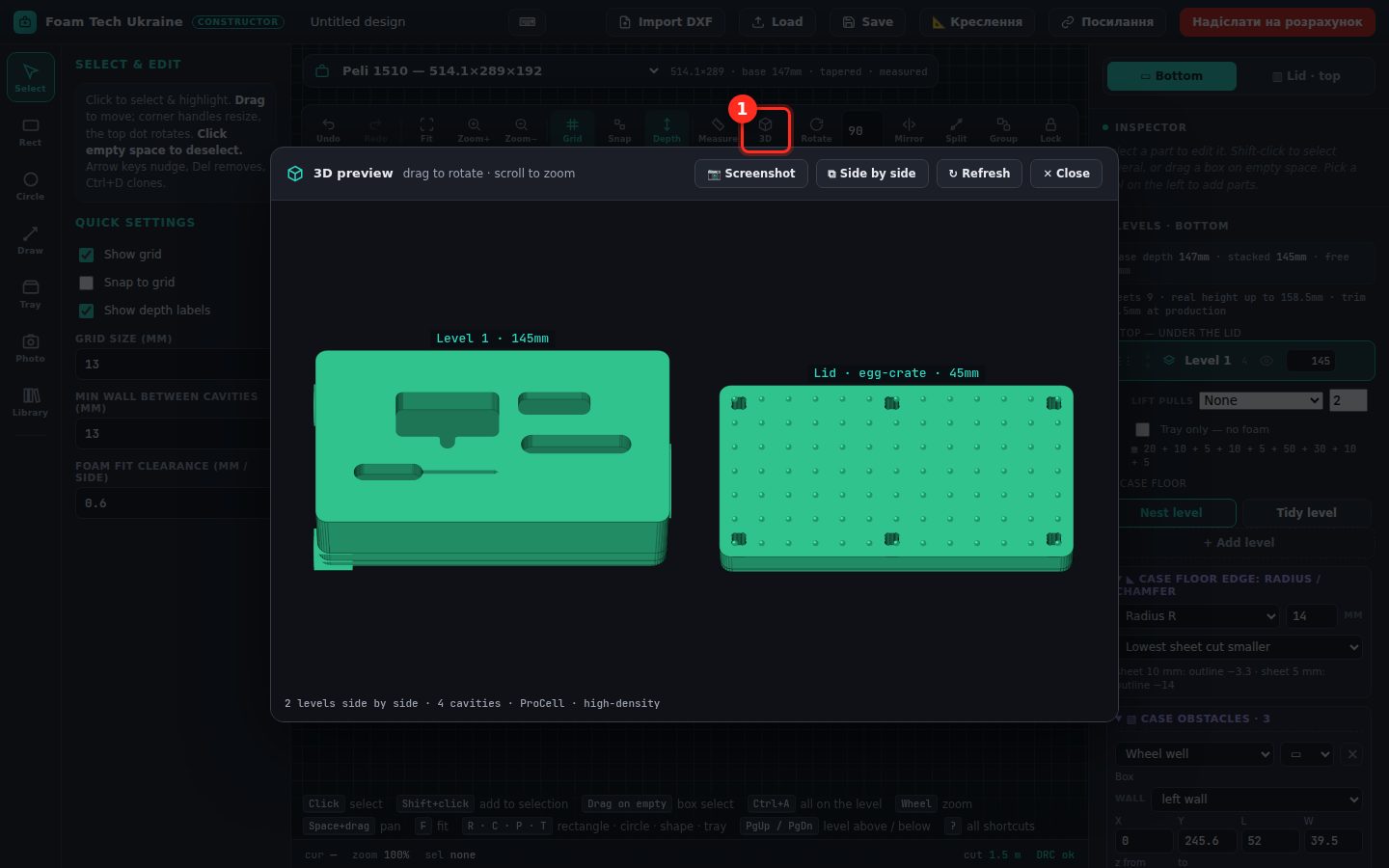
The «3D» button (1) shows the insert and the lid in 3D: depths, levels, finger pulls. Drag to rotate.
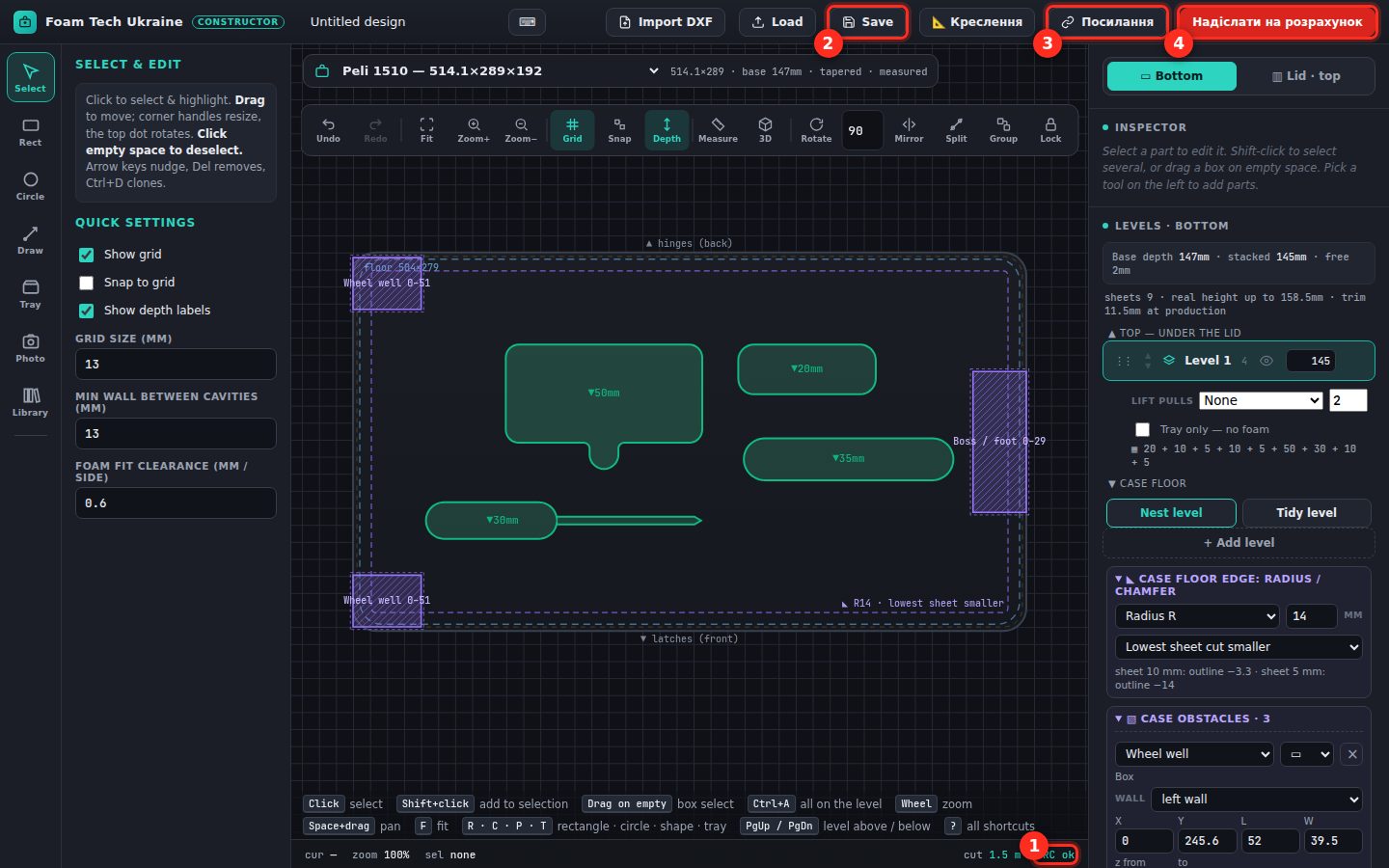
7Check and send
Bottom right — the design check (1): DRC ok means cavities do not overlap, stay out of walls and obstacles and fit the depth. Then Save (2) a project file, get a short link (3) or send for a quote (4): we price it, check the outlines and agree everything before cutting.