- 500+ ready outlines: drones, controllers, radios, tablets, phones, batteries.
- Each part in several positions: flat, upright, nose down.
- Cavity depth already matches the item height.
- Missing part — make it from a photo or ask us.
The library has over 500 ready outlines: drones, controllers, radios, tablets, phones, batteries, bottles, documents — each in several positions.
1Open the library and find the part
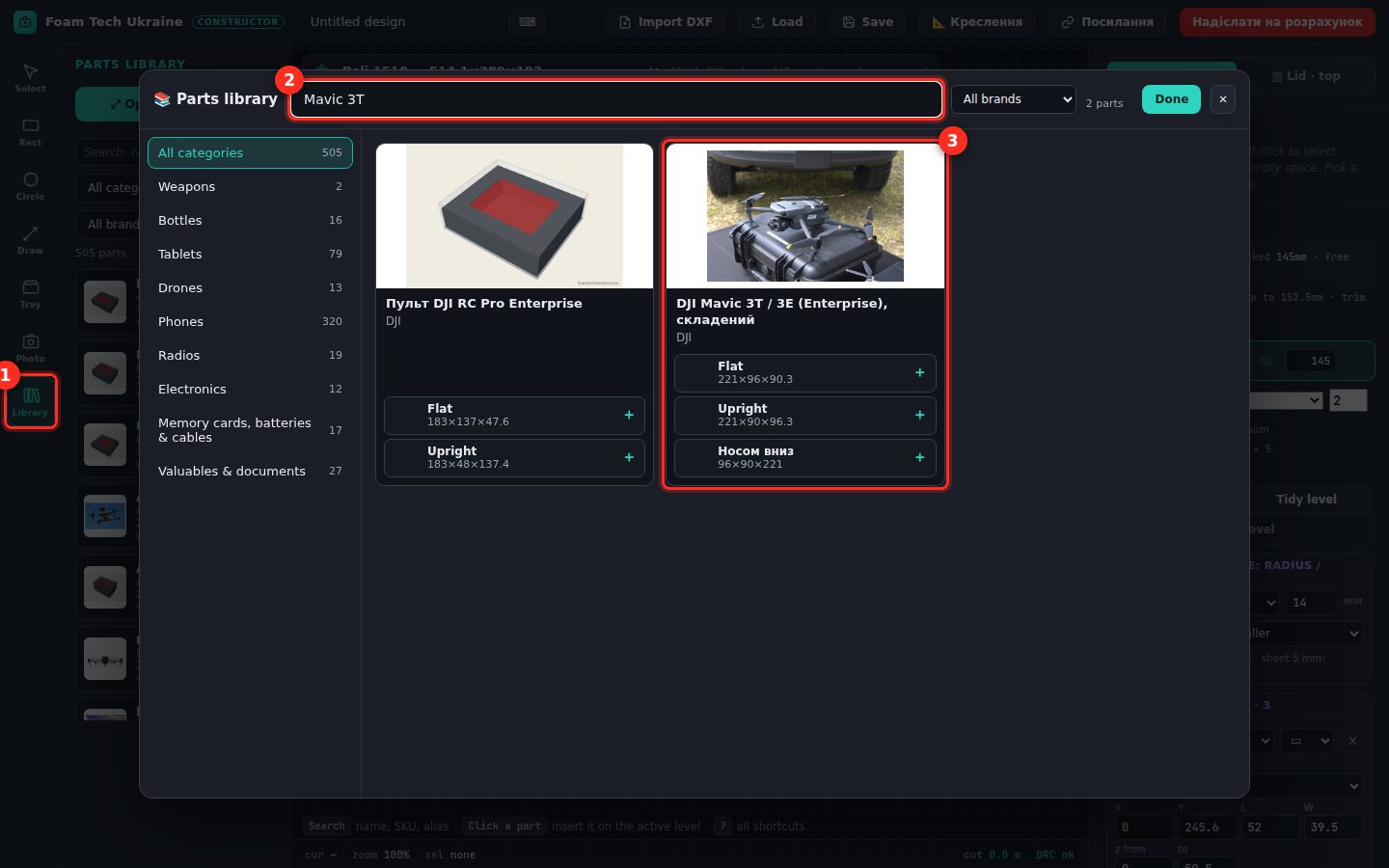
The «Library» tool on the left (1) → «Open the catalog». Search (2) by name, brand, model or SKU; categories on the left. Each card (3) shows a photo and positions with sizes.
2Pick the position — click «+»
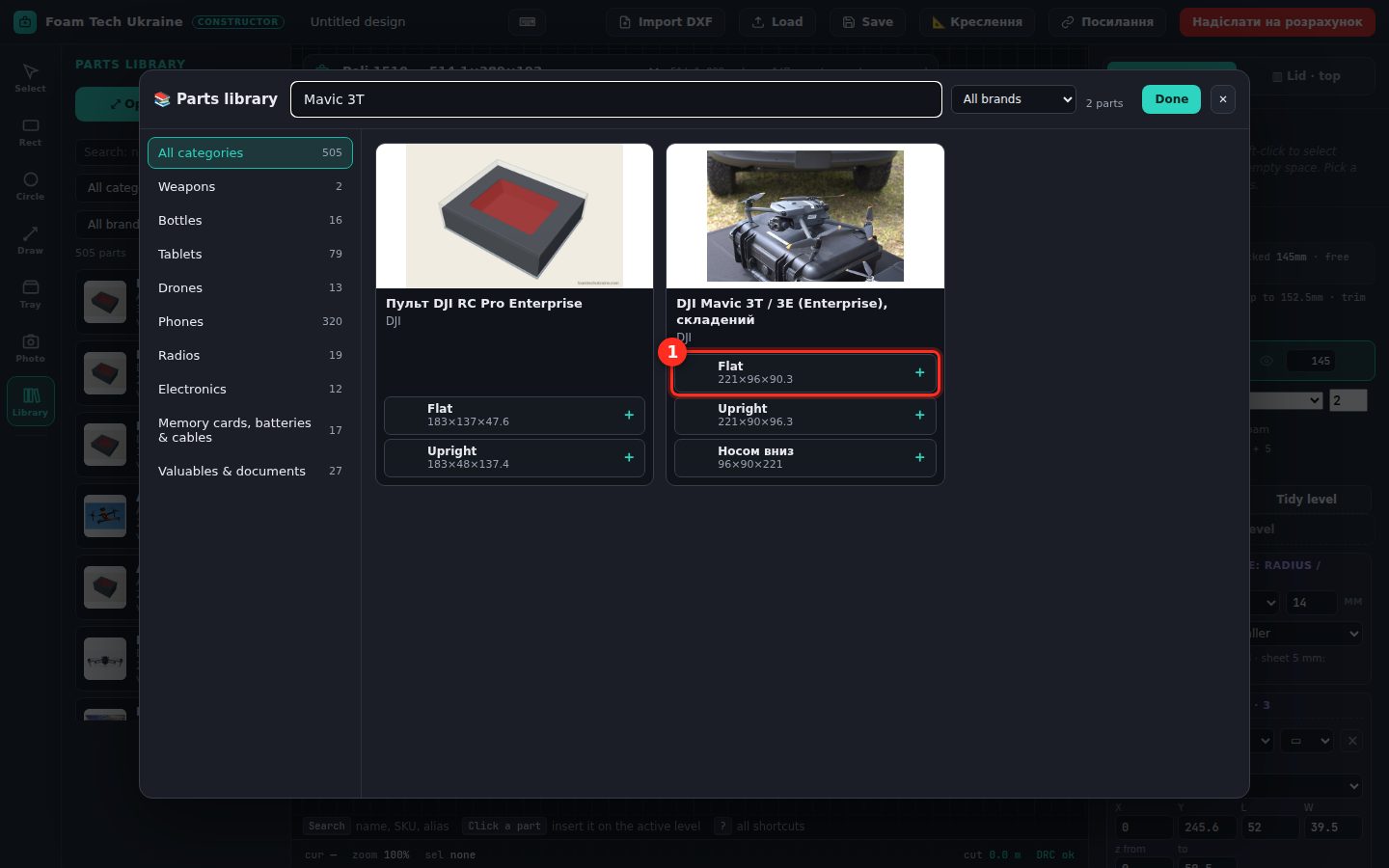
«Flat», «Upright» or «Nose down» (1) — this defines both the outline and the cavity depth. Add several parts in a row without closing the catalogue, then «Done».
3Parts in the case, depth already right
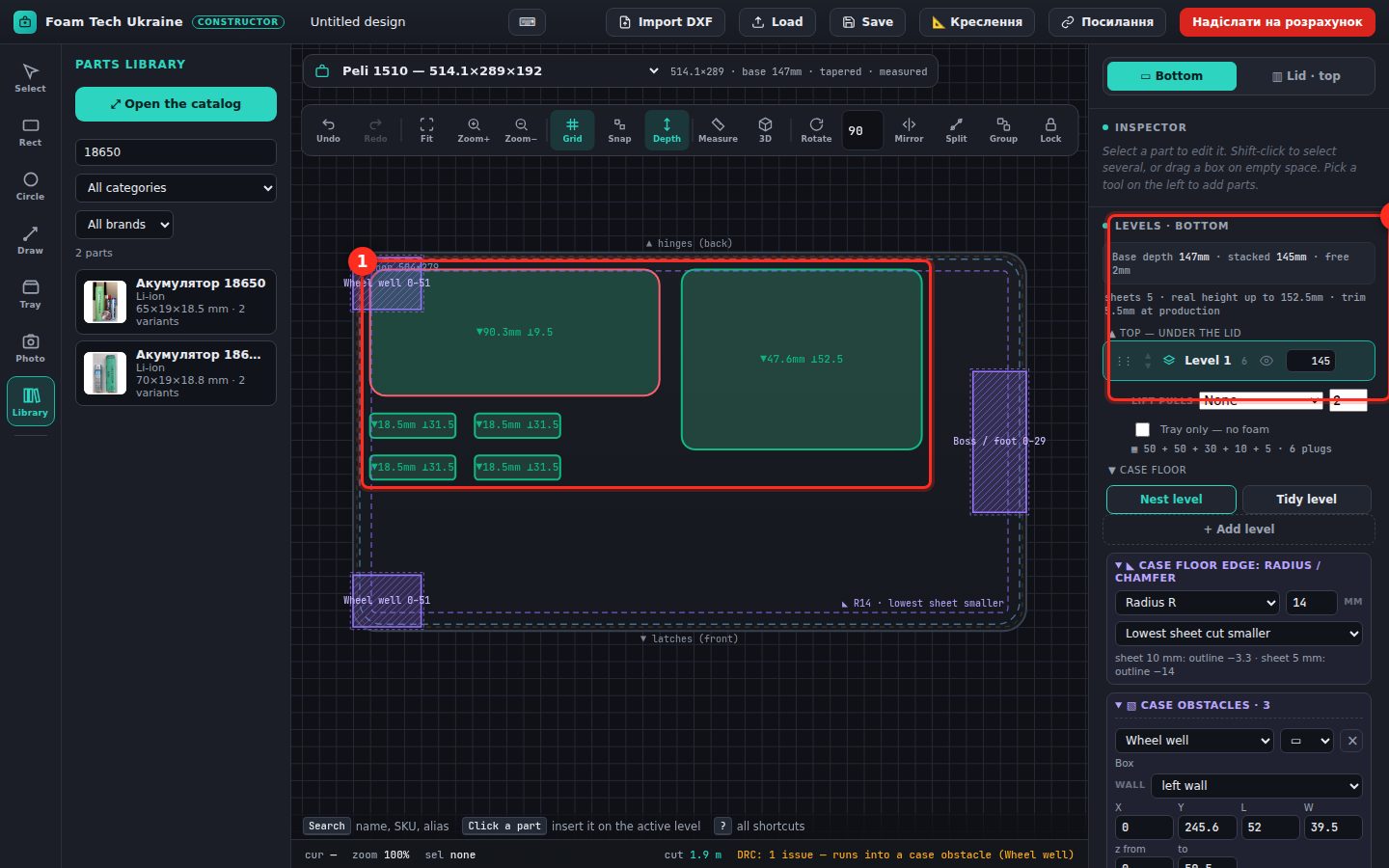
Cavities (1) have the real outline and the depth for the item height. «Levels · bottom» (2) shows the case depth, what is used and how many foam sheets. The design check at the bottom warns if a part runs into a case obstacle.
4Lay out and send
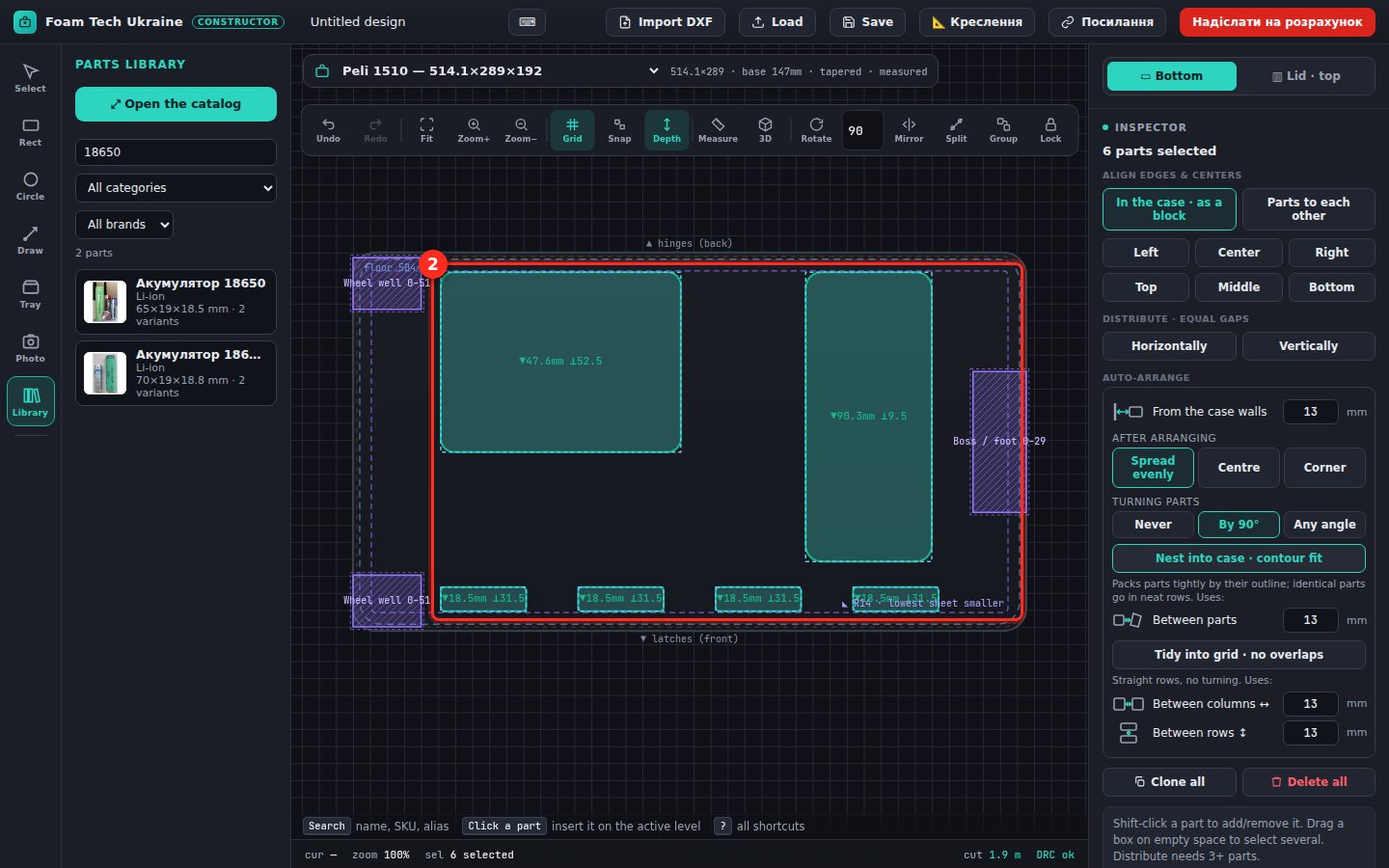
Ctrl+A — select all, «Lay out in case · by outline» (1) — tight, no overlaps (2). Add finger pulls, check in 3D and «send for a quote».